MANNager
Create, download, manage, port-forward, and monitor your Source Engine dedicated servers.
Features
Everything you need to
run a server.
One-click Setup
Download and configure any Source Engine server in minutes. DepotDownloader is
handled for you automatically.
Port Forwarding
Automatic UPnP and SDR relay support so players around the world can connect
without router headaches.
Live Console
Built-in server terminal, command history.
Sourcemod
Download Sourcemod stable or dev branch with a single click, directly
integrated into the manager.
Live Editing
Edit server name, password, map, max players, port, and GSLT token inline. No
config files needed.
Multi-Server
Run and monitor multiple server instances simultaneously with per-server
status and controls.
Auto-Update
Keep your server files up to date with the built-in update panel: progress
bar, live logs included.
Cross-Platform
Native support for Linux and Windows. One app, wherever you run your server.
Screenshots
01
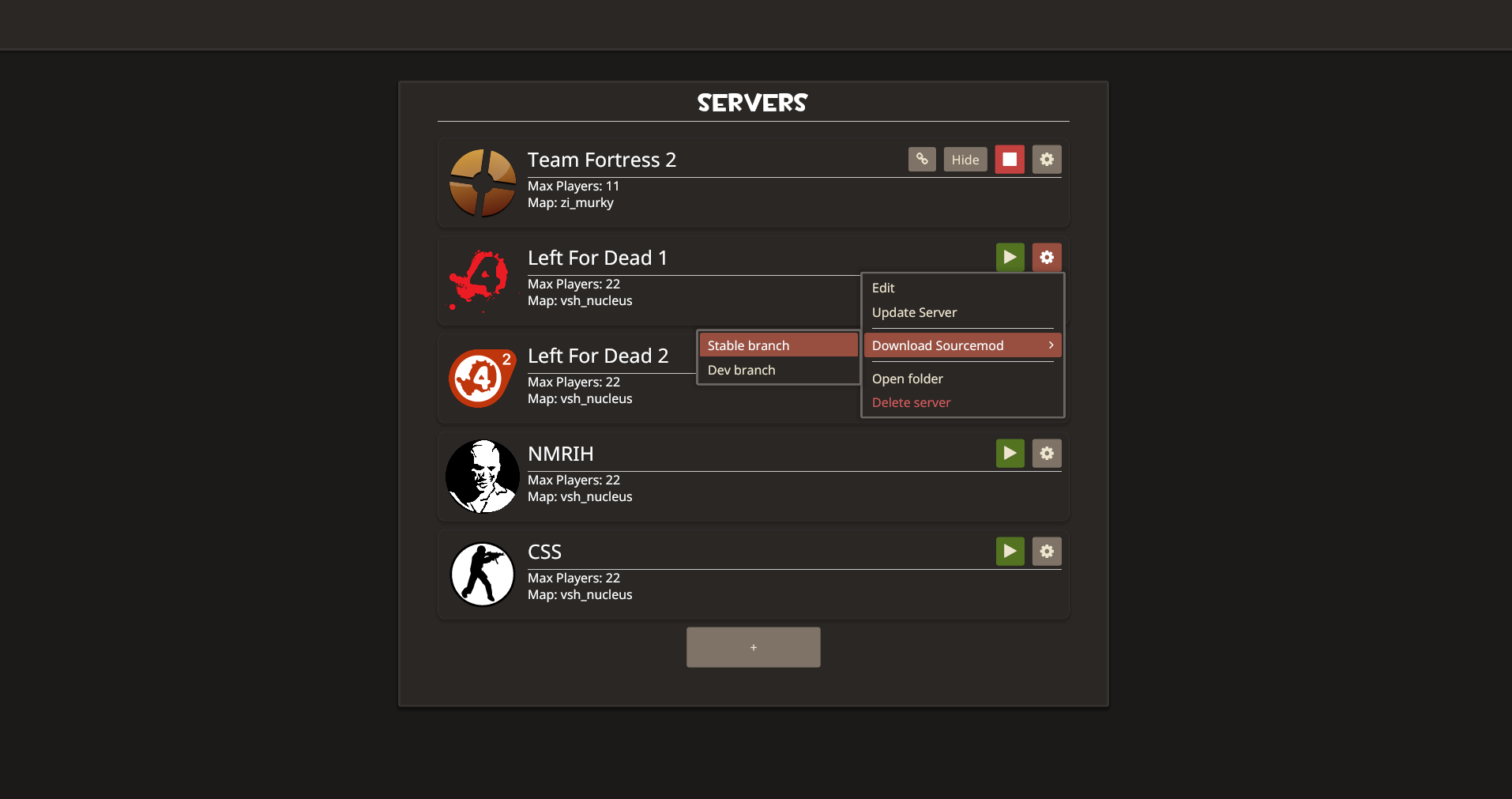
Server List
See all your servers at a glance. Running status, the default server settings, and network mode.
Open the context menu to edit, update, install SourceMod or delete any server.
02
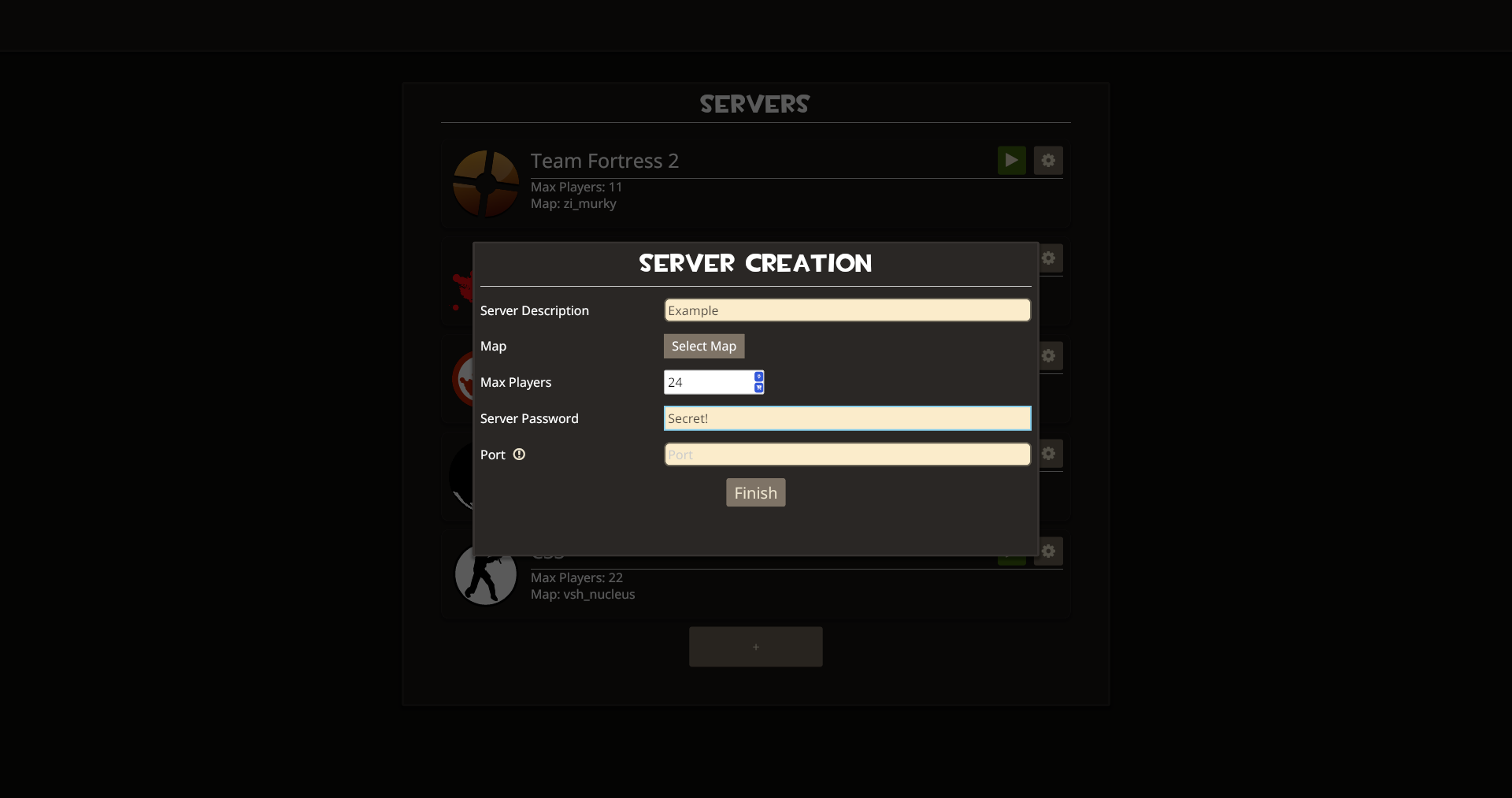
Server Creation
A guided three-step wizard walks you through picking a game, setting a path, configuring options
like password, port,
GSLT and map, and then downloads everything automagically.
03
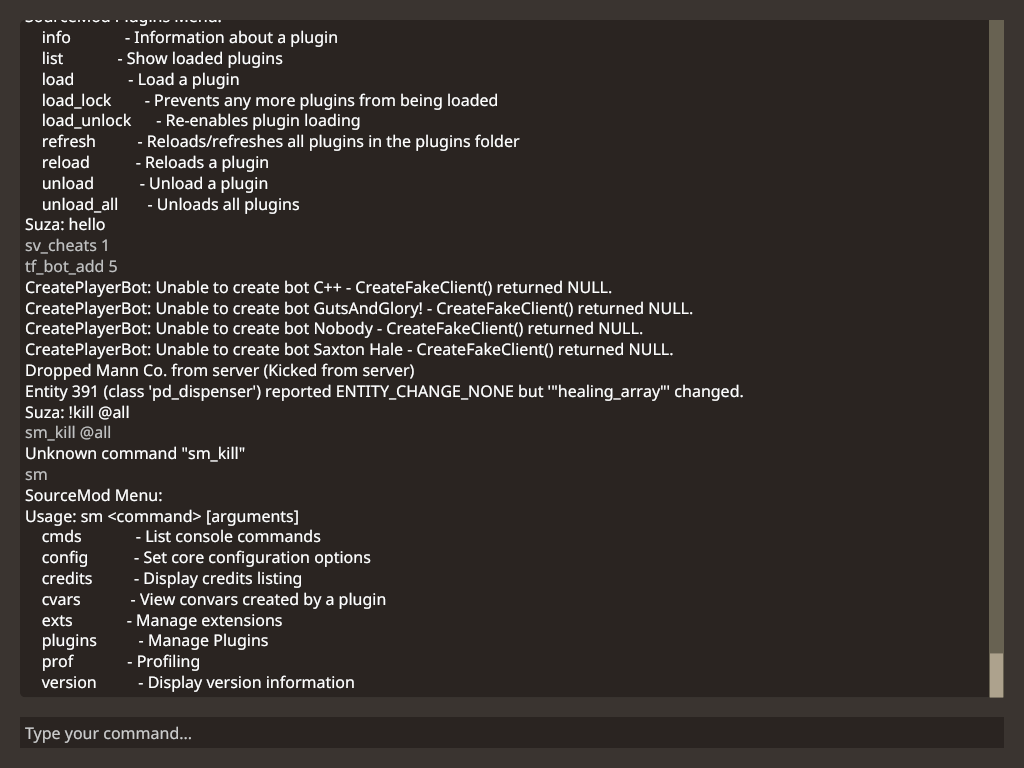
Live Console
Full real-time server terminal & command input with history navigation.